
Search everywhere
Global search looks through the whole suite at once and jumps you straight to the result. It covers:
- Todo — tasks (title and notes) and task lists
- Calendar — events (title and notes)
- Reading — saved pages (title, address and excerpt)
- Projects — projects and their outline items
- Email — messages stored on this device (subject, sender address, preview)
- Notes — pages and the text inside them
Opening search
Section titled “Opening search”| How | Where |
|---|---|
| Ctrl/⌘+F | Anywhere, on every platform. In the web app this replaces the browser’s find-in-page. |
s in the command palette |
Anywhere |
| The magnifier in the top bar | Phones and narrow windows |
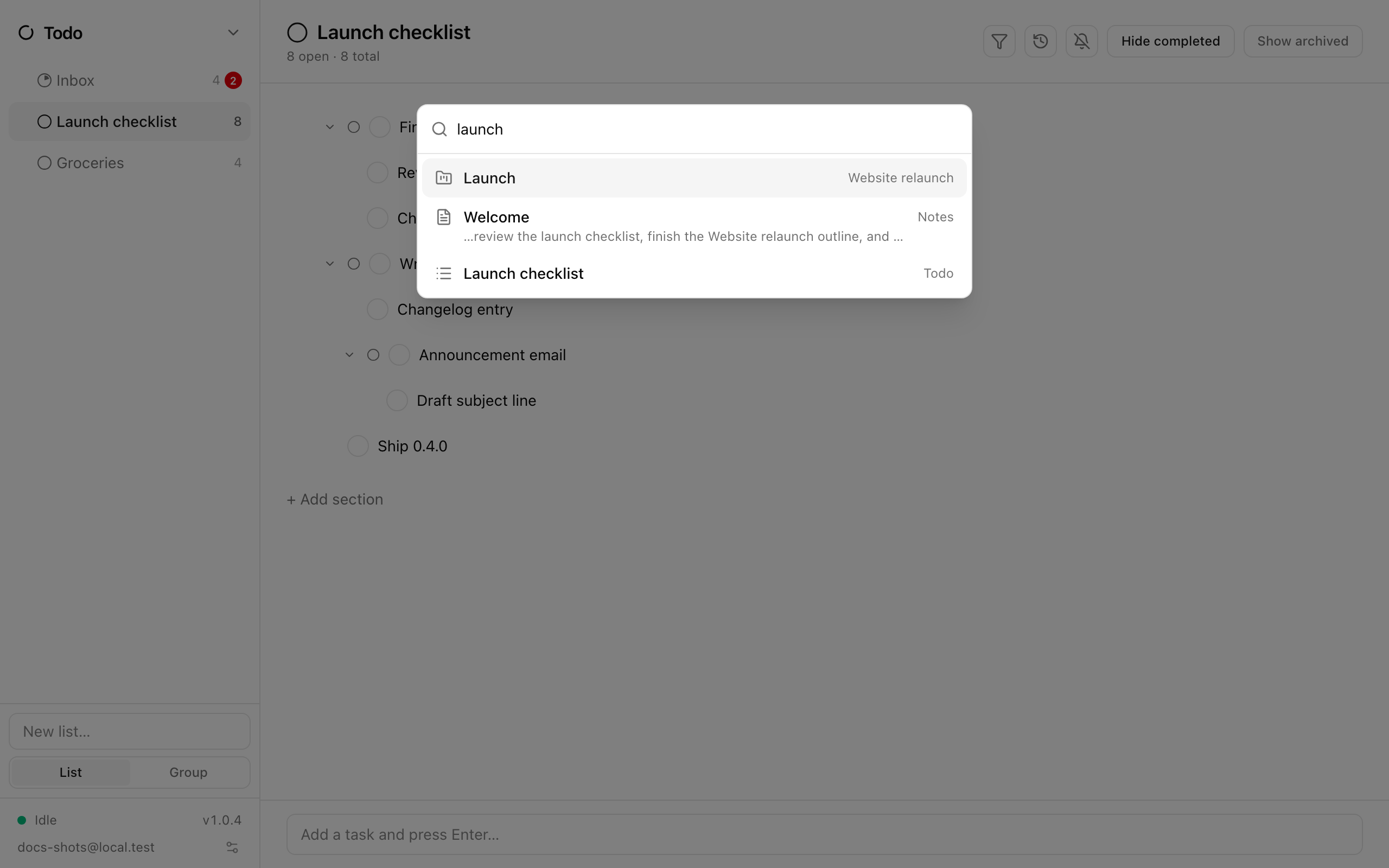
Using it
Section titled “Using it”- Type in the Search everywhere… field. Results update as you type (after a very short pause).
- Each row shows the app’s icon, the item’s title, a snippet with the matching text, and where it lives (the list, calendar, reading list, project or folder).
- ↑ / ↓ move the highlight; Enter or a click opens the result. Escape closes the overlay and returns your cursor to where it was.
“No results.” means nothing matched.
How matching works
Section titled “How matching works”- The last word you type is matched as a prefix, so
projfinds “project” and “projects”. - Accents are ignored:
cafefinds “café”. - Results are ranked by relevance; the best-matching field is used for the snippet. A note that matches in both its title and body appears once.
- At most 60 results are shown.
What is left out
Section titled “What is left out”- Archived tasks and archived reading pages.
- Anything inside a locked vault. Unlock the vault and its contents appear in results like everything else.
- Email that is not stored on this device.
- Deleted items.
Where a result takes you
Section titled “Where a result takes you”| Result | What opens |
|---|---|
| Task | The task’s list, with the task’s detail pane open |
| Task list | The list |
| Event | The calendar jumps to the event’s month, showing all calendars |
| Saved page | The reading list containing the page |
| Project / outline item | The project, with the matching row selected |
| Email message | The folder, with the message open |
| Note | The page |
If you are in split view and one pane already shows the result’s app, the result opens there instead of replacing what you are looking at.